
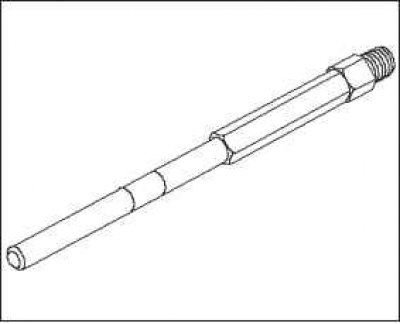
Note: To perform the test, you will need special tools: a compression tester (070AJ-RBD0100)
Note: After completing this procedure, you must select the operation "Data Reset" ("Reset") of the engine management computer, otherwise the ECM will continue to stop the injectors. Select "Reset Data" ("Reset") of the ECM computer using the Honda Diagnostic System (HDS).
1. Warm up the engine to normal operating temperature (the electric fan of the cooling system should turn on).
2. Turn the ignition key to the "OFF" position.
3. Connect the HDS to the data link connector (DLC)
4. Turn the ignition on by turning the key to the "ON" (II) position.
5. Verify that the HDS is communicating with the vehicle and the ECM. If not, troubleshoot the DLC circuit.
6. Select a system "DIESEL, INSPECTION", then "ALL INJECTORS OFF" in the HDS diagnostic system.
7. Remove the engine cover.
8. Remove the four glow plugs.
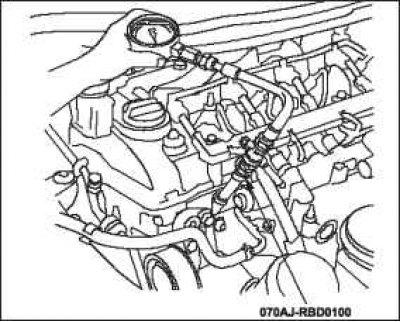
9. Connect the pressure measuring device to the glow plug hole.
10. Crank the engine with the starter and measure the compression value.
Compression pressure: above 2.4 MPa.
11. Measure the compression in the remaining cylinders.
Maximum spread: no more than 200 kPa.
12. If the compression value is outside the range specified in the specifications, check the following items and then repeat the compression measurement.
- Damage or wear of valves and seats.
- Cylinder head gasket failure.
- Broken or worn piston rings.
- Damage or wear to piston or cylinder bore.
13. Install four glow plugs.
14. Select "Reset ECM computer (Reset) the ECM computer" to stop the function execution "ALL INJECTORS OFF" (All Injectors Disabled) in the HDS diagnostic system.
15. Install the engine cover.