
Note: The procedure applies equally to both front and rear disc brakes.
Checking the status
1. Loosen the wheel nuts, jack up the car and place it on stands. Remove the wheel in question, then screw the pair of nuts back onto the mounting studs, using 3mm washers underneath to secure the brake disc (if the two screws securing the disk have not yet been unscrewed, there is no need to tighten the nuts). When checking the rear brake disc, remember to release the parking brake.
2. Remove the brake caliper (see Removal, repair and installation of disc brake calipers) and tie it to the side with wire to the suspension element without disconnecting the brake hose.
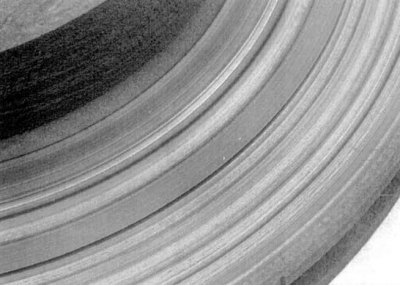
3. Perform a visual inspection of the condition of the working surface of the disk (see accompanying illustration). Minor defects can be removed with fine-grained sandpaper. To remove grooves deeper than 0.38 mm, the disc should be lapped.
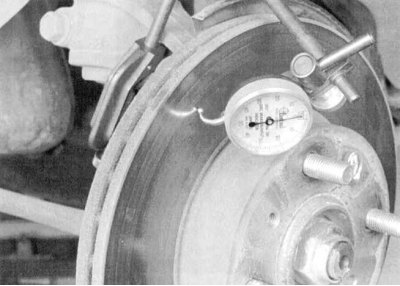
4a. If pedal pulsation is observed during braking, the lateral runout of the brake disc should be assessed. Attach a plunger-type dial gauge (DTI) approximately 12.7 mm from the outer edge of the disc (see accompanying illustration).
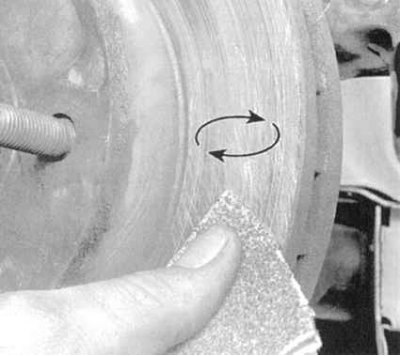
4b. Zero the device and start rotating the disk. The measurement result should not go beyond the limits specified in Specifications acceptable range, otherwise the disk must be sent for resurfacing.
Note. The authors of this Manual recommend turning the disks regardless of their condition in order to remove any defects from the working surfaces. In extreme cases, you can limit yourself to processing the disk with fine-grained sandpaper.
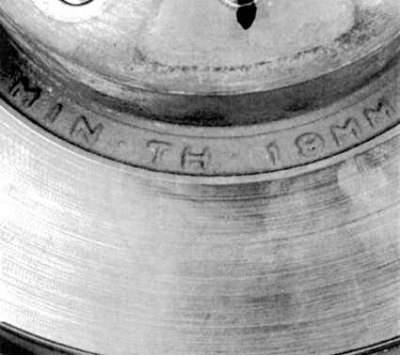
5a. When turning the disc, special attention should be paid to compliance with the requirements Specifications to its minimum permissible thickness. The end surface of the disk is marked accordingly (see accompanying illustration).
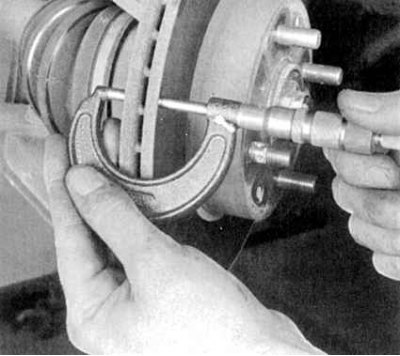
5b. The thickness of the disc is measured using a micrometer (see accompanying illustration).
Removal
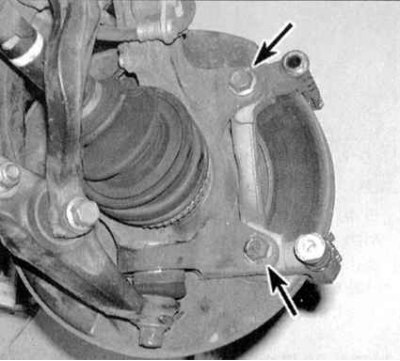
1a. Remove the two bolts securing the caliper anchor bracket to the steering knuckle (see accompanying illustration).
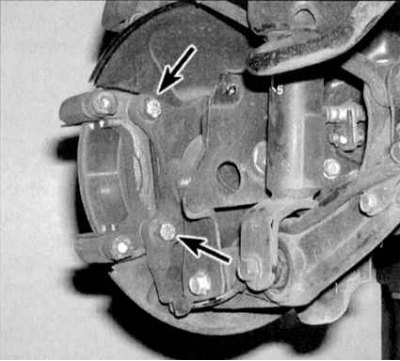
1b. Or (on the rear wheel brake mechanism) bolts securing the bracket to the trailing arm. Remove the bracket.
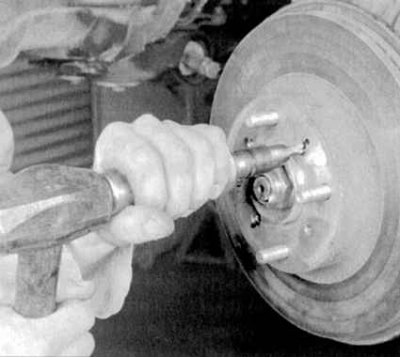
2a. Remove the two wheel nuts used to secure the disc to the hub/unscrew the two mounting screws (see accompanying illustration).
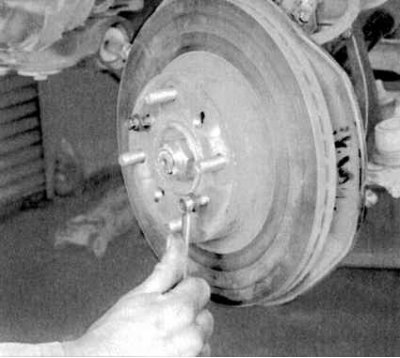
2b. Remove the disc from the wheel hub. If the disc is "stuck" to the hub, it can be pressed out by screwing a pair of bolts of the appropriate size into the mounting holes (see accompanying illustration).
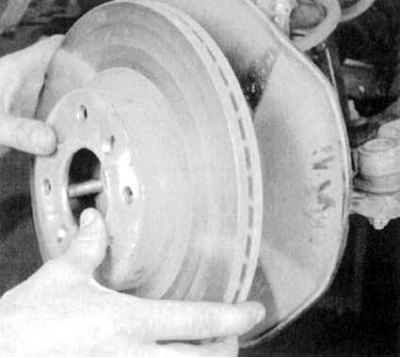
2c. Tighten the bolts evenly and gradually until the disc is completely free. When removing the disc, be careful not to damage the threads of the wheel studs (see accompanying illustration).
Installation
1. Carefully place the disc on the hub (again, try not to damage the wheel studs). Screw in the mounting screws.
2. Install the caliper anchor bracket onto the disc. Tighten the bracket and caliper mounting bolts to the required torque.
3. Replace the wheel, lower the vehicle to the ground and tighten the wheel nuts to the specified torque (see Specifications to the Chapter Routine maintenance). Press the brake pedal/cock the parking brake lever several times to seat the pads on the disc. If the brake hoses were not disconnected, there is no need to bleed the hydraulic system. Before operating the vehicle, make sure that the brakes are functioning properly.
(Original published on this resource www.hondabook.ru)