Checking the input signal of the lock control unit
1. Remove the driver's side door panel.
2. Disconnect the 8K connector from the control unit.
3. Inspect the connectors and socket contacts to ensure that they are in good contact.
- If the contacts are bent, loose or corroded, correct them and retest the system.
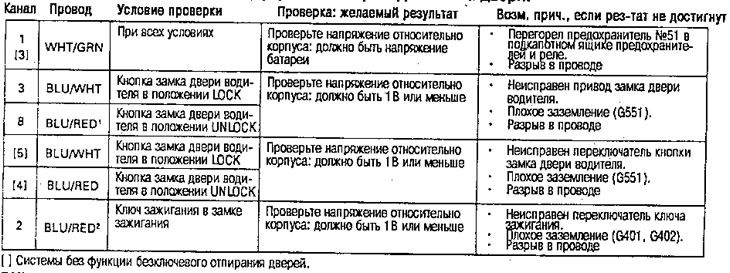
- If the contacts are OK, perform the following tests on the input signal at the connector.
- If any of the tests identify a problem, find and correct the cause, then test the system again.
- If all input signal tests are positive, the control unit is faulty, replace.
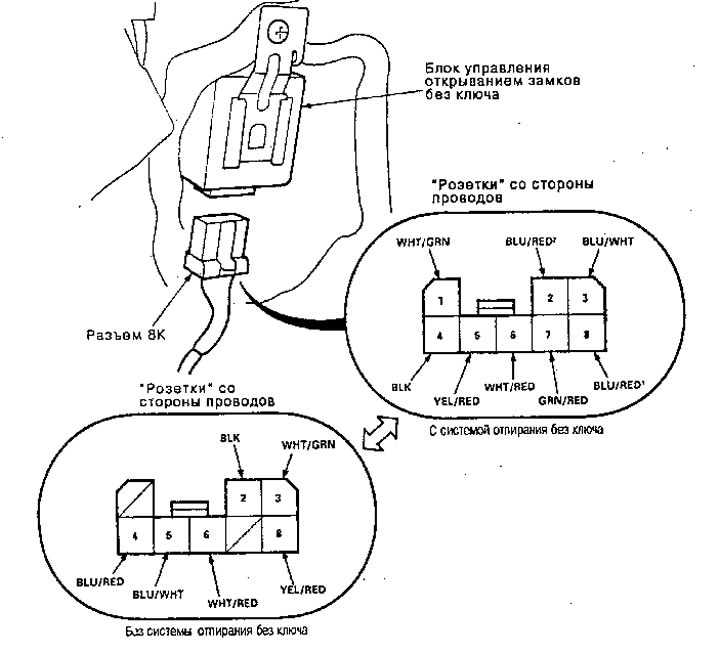
Disconnect the 8K connector from the lock actuator control unit
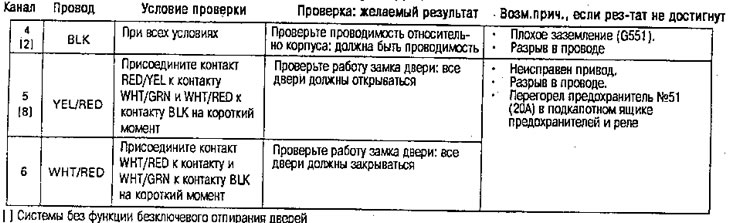
Connect the 8K connector to the door lock actuator control unit.
Caution: To avoid engine damage, apply battery voltage only for short periods of time
Checking the driver's door lock actuator/driver's door lock switch button
1. Remove the driver's door panel.
2. Disconnect the 6K connector (keyless unlocking system) or ZK (without keyless entry system) from the drive (with keyless entry system) or button switch (without keyless entry system).
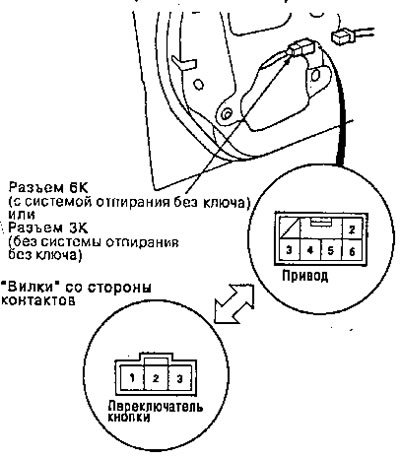
3. Check the operation of the drive by connecting the power and grounding according to the table.
(with keyless entry system)
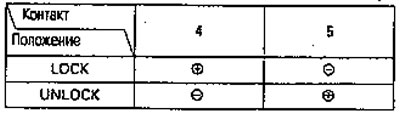
4. If the drive does not work properly, replace it.
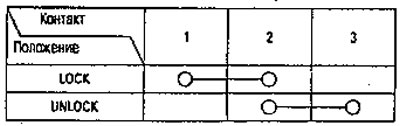
5. Check the conductivity between the contacts in each switch position, according to the table.
(with key base unlocking system)
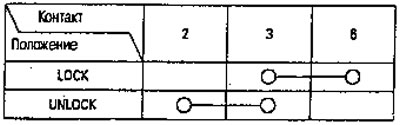
(with keyless entry system)