
2. Remove the steering wheel, see Chapter 10.
3. Remove the mounting screws under the steering column.
4. Remove the glove compartment and tray (if installed).
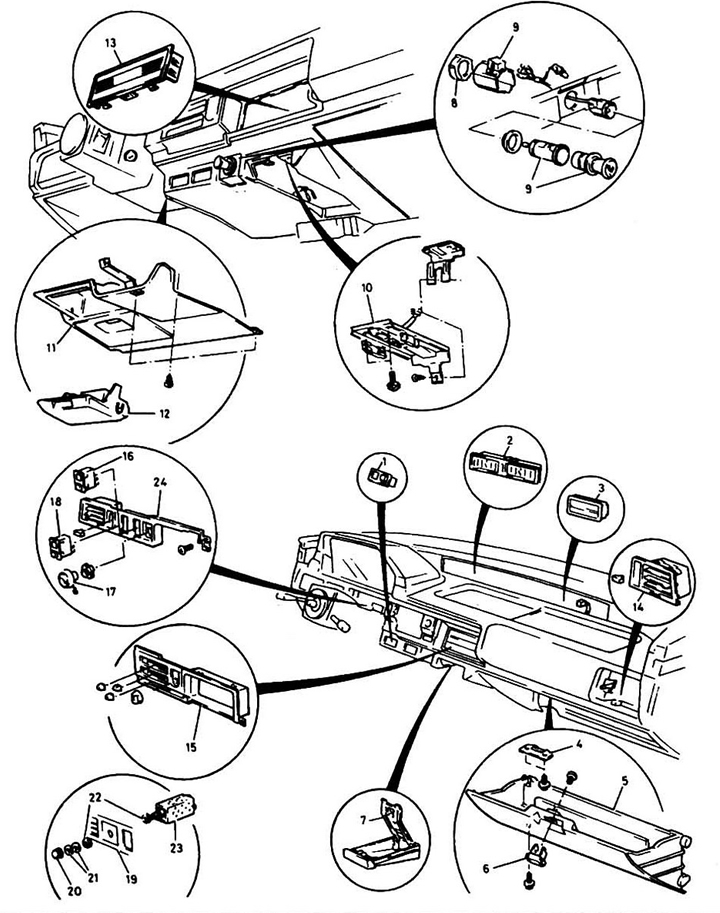
Fig. 18.4a Instrument cluster - hatchback and sedan 1 - headlight brush switch; 2 - ventilation grille; 3 - hours; 4 - latch; 5 - glove compartment; 6 - latch; 7 - ashtray; 8 - nut; 9 - cigarette lighter; 10 - ashtray holder; 11 - lower instrument panel; 12 - coin box; 13 - radio panel; 14 - ventilation grille; 15 - stove control panel; 16 - Rear window defroster switch; 17 - air damper control button; 18 - Rear fog light switch; 19 - side panel of instrument panel lighting; 20 - button; 21 - washer; 22 - nut; 23 - Instrument cluster lighting controller; 24 - side panel.
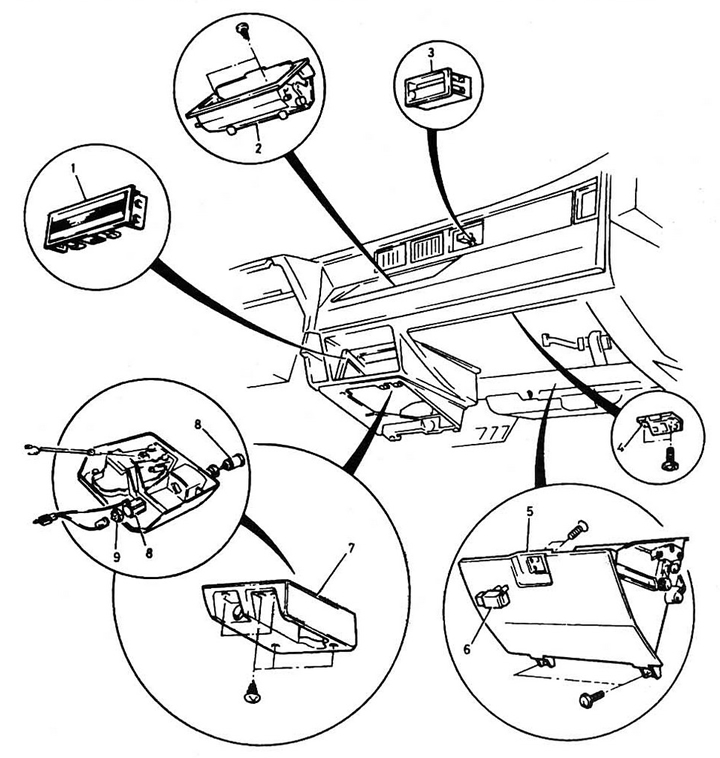
Fig. 18.4b Instrument cluster - CRX 1 - radio; 2 - central department; 3 - hours; 4 - latch; 5 - glove compartment; 6 - latch; 7 - bottom panel; 8 - cigarette lighter; 9 - nut.
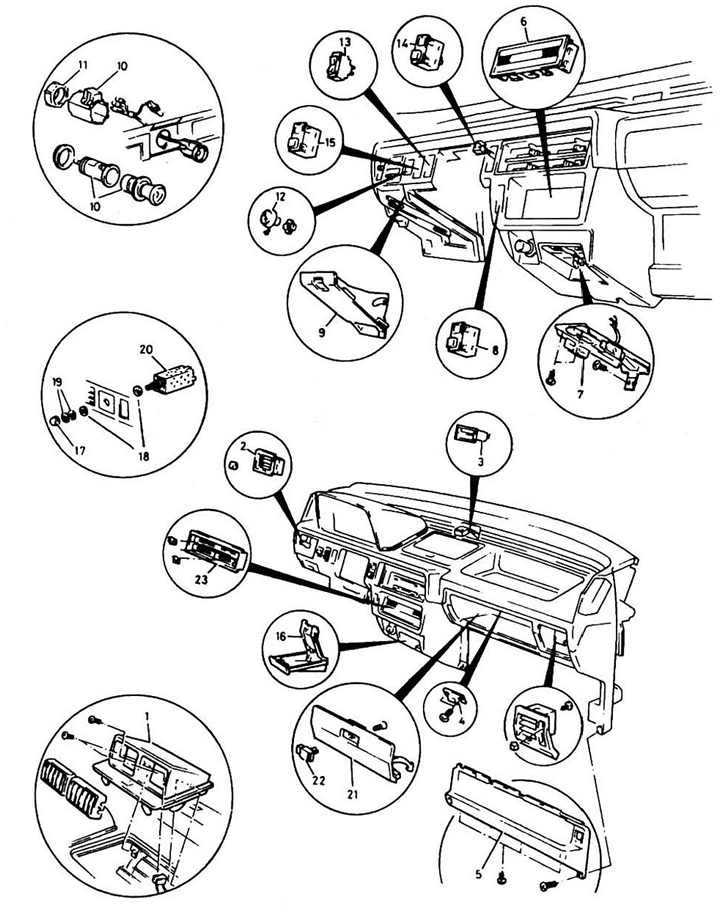
Fig. 18.4c Instrument cluster - Shuttle 1 - ventilation; 2 - ventilation; 3 - hours; 4 - latch; 5 - pallet; 6 - radio panel; 7 - ashtray holder; 8 - headlight brush switch; 9 - coin compartment; 10 - cigarette lighter; 11 - nut; 12 - air damper control button; 13 - Sun visor switch; 14 - Rear window heating switch; 15 - Rear fog light switch; 16 - ashtray; 17 - button; 18 - nut; 19 - washer; 20 - Instrument panel light controller; 21 - glove compartment lid; 22 - latch; 23 - front control panel of the stove.
5. Remove the ashtray.
6. Remove the radio receiver, see Chapter 12.
7. Remove the instrument panel faceplate.
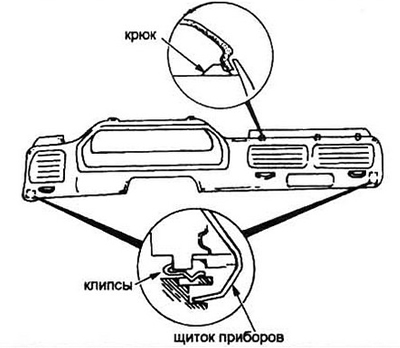
Fig. 18.7 Fastening the instrument panel faceplate
Note: The faceplate is secured to the instrument cluster with screws, latches or clips. Do not break the plastic latches.
8. Installation is carried out in the reverse order of removal.
(Material obtained from the website: HondaBook.ru)