
Contents: Civic Models ⇊ Integra Models ⇊
Civic Models
1. Disconnect the antenna cable from the radio (see Removal and installation the radio and speakers).
2. Tie a piece of string to the end of the antenna cable.
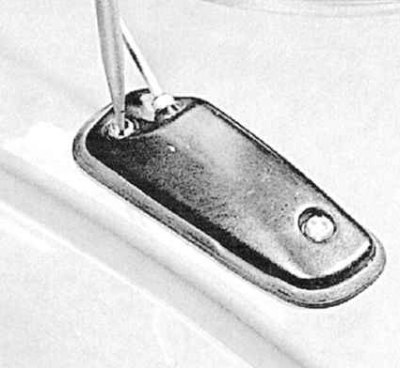
3. Loosen the mounting screws and remove the antenna from the body pillar (see accompanying illustration).
4. Tie the string, attaching it to the cable of the new antenna. Lower the antenna assembly into its regular place, while simultaneously pulling the cable by the string into the stand.
5. Untie the string and connect the antenna cable to the radio receiver assembly. Insert the antenna assembly mounting screws and tighten them securely.
Integra Models
Mast of an electrically powered antenna
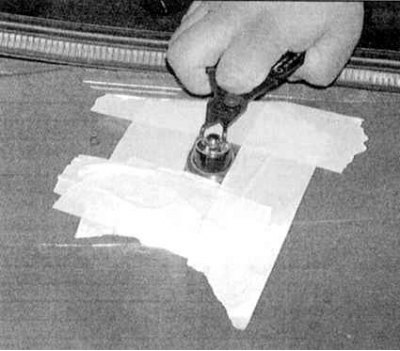
1. Tape the area of the car fender surrounding the antenna mast to protect the paintwork. Loosen the mounting nut and remove the spacer washer (see accompanying illustration).
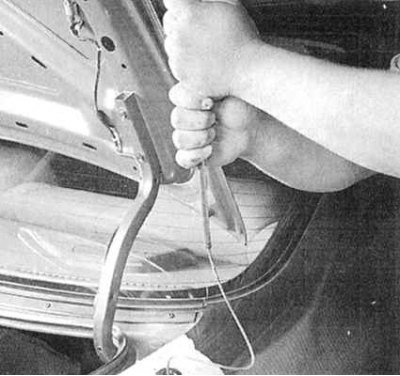
2. Have an assistant turn on the radio and raise the antenna to the top position. Guide the antenna mast as it extends, and remove it from the vehicle (see accompanying illustration).
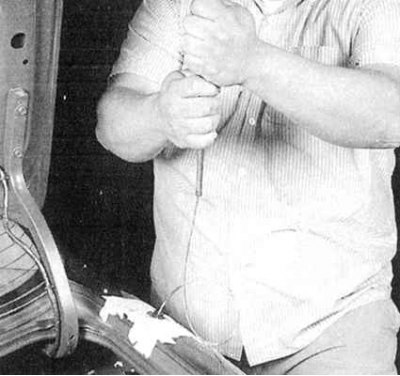
3. When installing, turn the antenna with the teeth facing backwards and engage the teeth with the drive cable. Turn on the radio and allow the electric motor to pull the antenna mast into the wing (see accompanying illustration).
4. Replace the spacer washer and tighten the retaining nut.
Note: If the spacer washer is equipped with a flat seal, the latter must enter the bushing, located under the washer. The sealing ring is placed on top of the spacer washer.
Antenna mast drive electric motor
1. On Sedan models, remove the side interior trim panel in the luggage compartment. On Hatchback models, remove the Rear Side Interior Trim Panel.
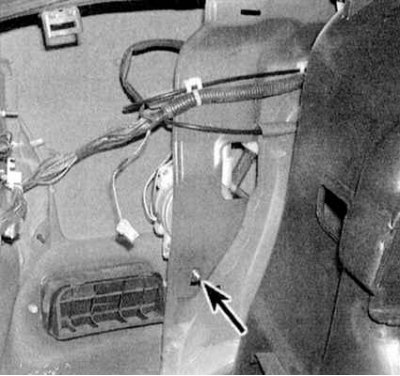
2. Loosen the antenna mounting nut and remove the washer (see illustration). Remove the drive motor mounting nut (see accompanying illustration). Disconnect the electrical connector and antenna cable. Remove the electric motor assembly.
3. Installation is carried out in reverse order.