
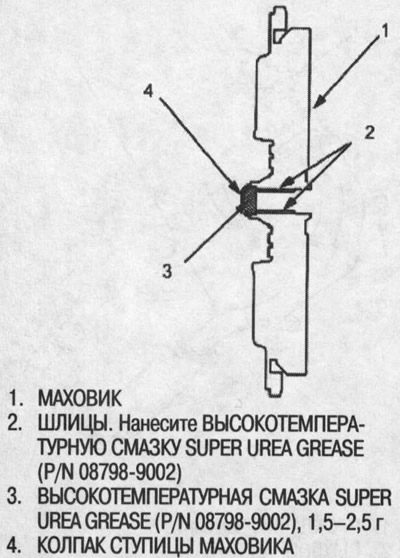
2. Fill the flywheel hub caps and coat the flywheel splines with Super Urea Grease (P/N 08798-9002) as shown.
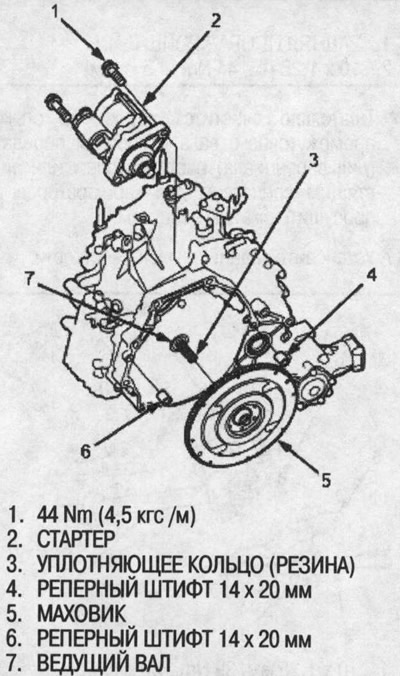
3. Install a new sealing ring (rubber) on the drive shaft and place two 14x20 mm reference pins on the flywheel housing.
4. Securely fasten the flywheel to the drive shaft, install the starter on the flywheel housing.
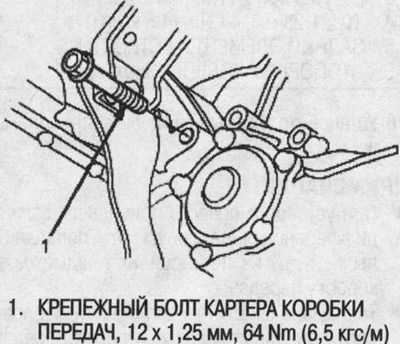
5. Support the gearbox with a jack and lift it to engine level.
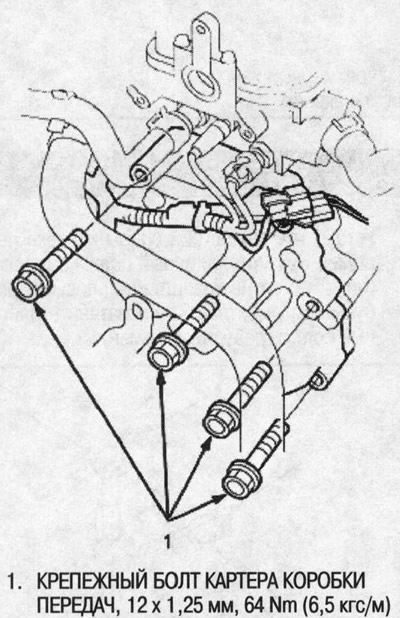
6. Attach the gearbox to the engine, then insert the mounting bolt into the gearbox housing.
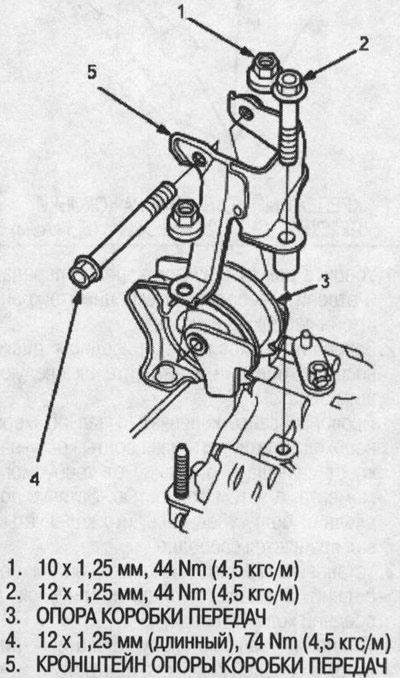
7. Install the transmission support bracket. Start the long bolt and tighten the nuts and bolt on the support bracket to the specified torque. Then tighten the long bolt to the specified torque.
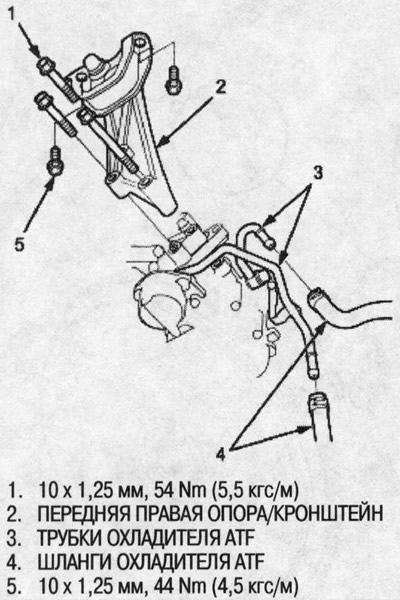
8. Install the front right support/bracket.
9. Connect the ATF cooler hoses to the ATF cooler tubes (see below) as shown in the figure.
10. Install the mounting bolts into the gearbox housing.
11. Remove the jack from under the transmission and unhook the winch, then remove the winch bracket from the engine.
12. Secure the flywheel to the drive plate with eight bolts and tighten them as follows: Rotate the crankshaft as necessary, tightening the bolts crosswise, first to half the specified torque, then fully. After tightening the last bolt, check that the crankshaft rotates freely.
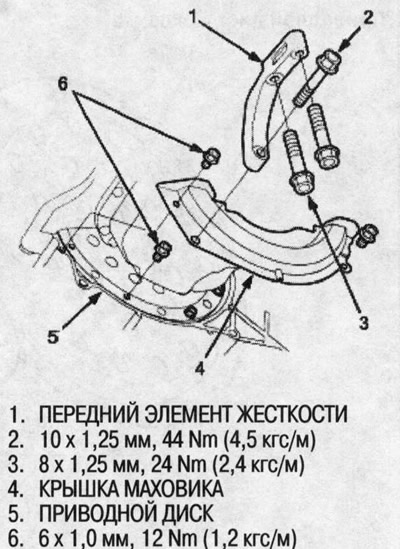
13. Install the flywheel cover, then the front stiffener.
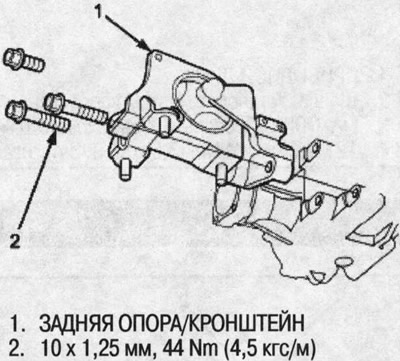
14. Install the rear support/bracket.
15. Install new snap rings onto the ends of the intermediate shaft and right drive shaft.
16. Install the intermediate shaft.
Note:
- When installing the intermediate shaft into the differential, do not allow dust or other foreign objects to enter the gearbox.
- Thoroughly clean the areas where the intermediate shaft and gearbox (differential) meet with solvent or carburetor cleaner and dry with compressed air.
17. Install the rear stiffener.
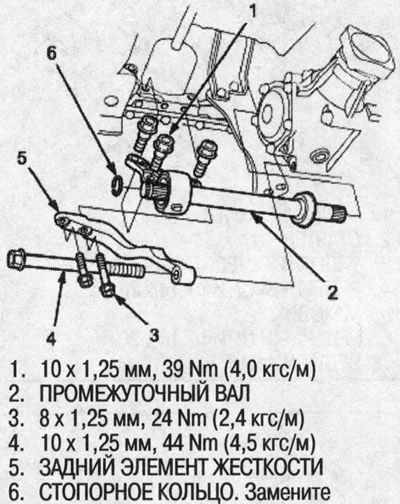
18. Install the right and left drive shafts.
Note:
- When installing the right drive shaft into the differential, be careful not to allow dust or other foreign objects to enter the gearbox.
- Thoroughly clean the areas where the right drive shaft and gearbox (differential) meet with solvent or carburetor cleaner and dry with compressed air.
- Fully turn the right and left steering knuckles and insert the right drive shaft into the differential until you feel its spring clip engage the side gear. Insert the left drive shaft into the intermediate shaft until you feel the intermediate shaft spring clip engage the left drive shaft.
19. Install the propeller shaft into the transfer case assembly, aligning the marks.
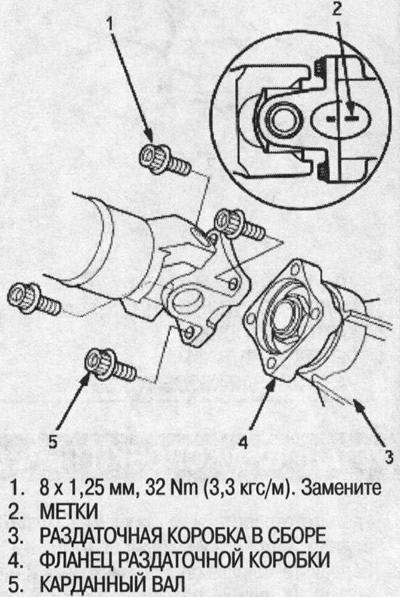
20. Install the exhaust pipe A.
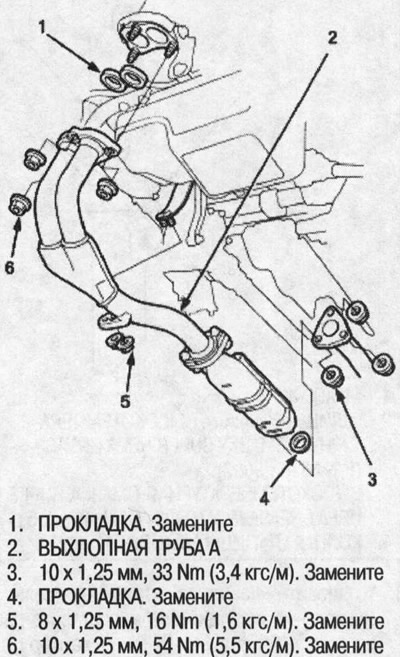
21. Install the rear support beam.
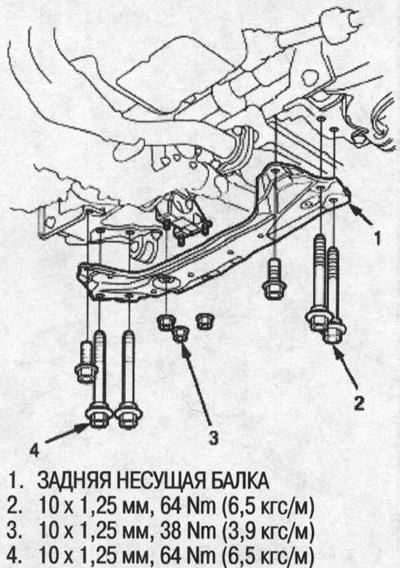
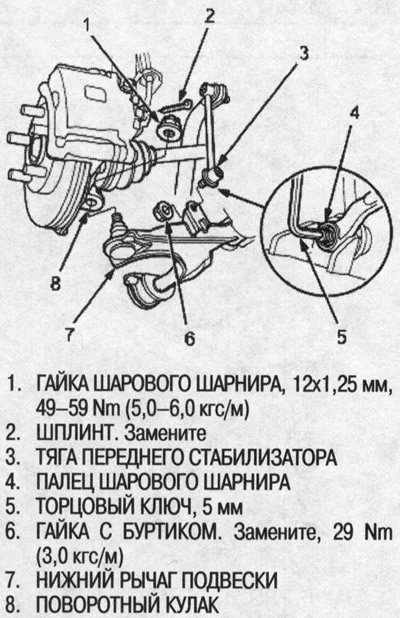
22. Install the ball joints of the lower suspension arms on both steering knuckles, then tighten the ball joint nuts and secure them with cotter pins.
23. Install the front stabilizer links onto the lower suspension arms, then tighten the flange nuts.
24. Place a 5mm socket wrench on the tip of the front stabilizer link ball joint pin, then tighten the flange nuts.
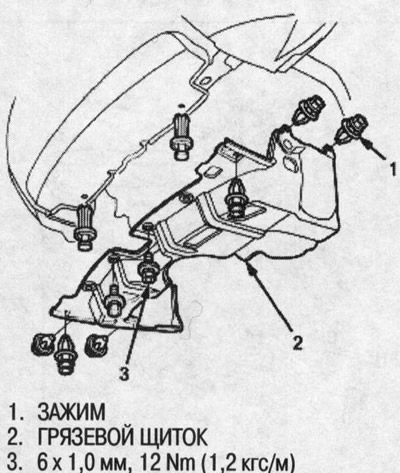
25. Install the mudguard.
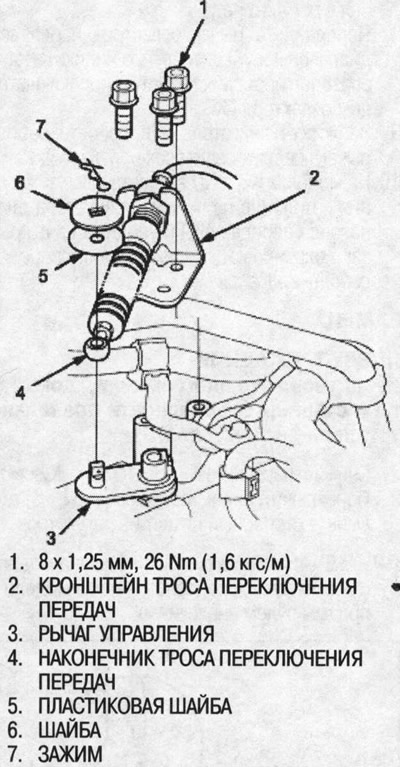
26. Install the shift cable bracket to the transmission.
27. Secure the gear shift cable end to the control lever. Do not kink the gear shift cable.
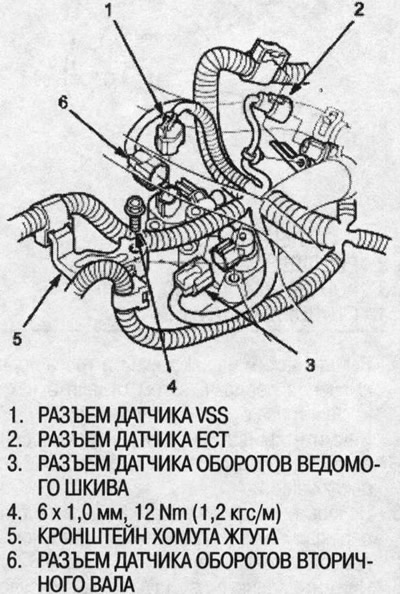
28. Connect the connectors of the secondary shaft speed sensor, driven pulley speed sensor, engine coolant sensor (ECT), and vehicle speed sensor (VSS), then install the harness clamp bracket.
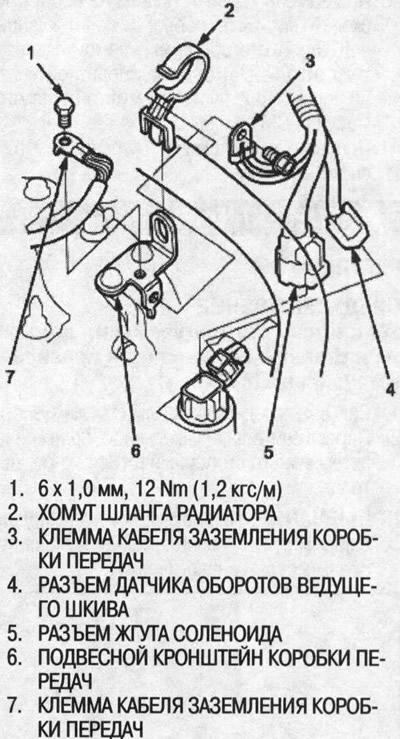
29. Connect the solenoid harness connector and the drive pulley speed sensor connector, then connect the transmission ground cable terminals and install the radiator hose clamp to the transmission hanger bracket.
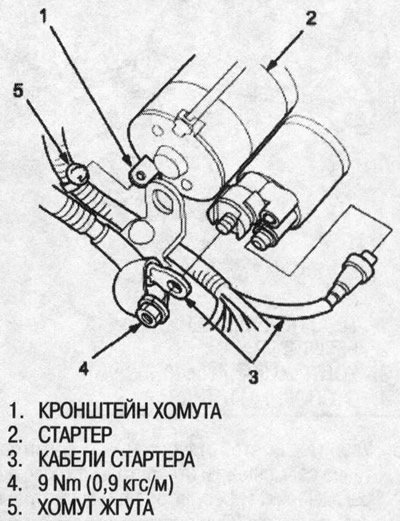
30. Connect the cables to the starter with the crimped side of the cable lug facing out.
31. Install the distributor.
32. Install the battery base and the battery itself, then secure the battery with the hold-down bracket.
33. Fill the transmission with the recommended transmission fluid (see above).
34. First connect the positive (+) cable, then the negative (-) cable to the battery.
35. Adjust the ignition timing.
36. Start the engine. Apply the parking brake and shift the gearbox through all ranges three times.
37. Check the adjustment of the gear shift cable (see below).
38. Check the front wheel alignment angles (see chap. "Front and rear suspension").
39. Shift the transmission to position P or N and allow the engine to warm up to normal operating temperature (the radiator fan will come on), then turn it off and check the transmission fluid level (see above).
40. When replacing the transmission assembly, starter clutch assembly, lower valve body assembly, or when repairing the engine, calibrate the starter clutch control feedback signal in the PCM memory (see above).
41. Conduct a road test (see above).