HondaBook.ru
Auto companies Volkswagen Auto companies Ford Auto companies Lada Auto companies Skoda Auto companies BMW Auto companies Mazda Auto companies Peugeot
English Русский
Български
Беларускі
Український
Српски
Hrvatski
Română
Polski
Slovenský
Magyar
Bookmark Contacts Sitemap   


Accord Civic Fit / Jazz CR-V HR-V Others Articles
CR-V 1 (1995-2001, petrol) CR-V 2 (2002-2006, petrol)

Rack (CR-V) — Removal and Installation (Honda CR-V 1)

  • Main
  • Honda CR-V
  • 1 (1995-2001, petrol)
  • Chassis and running gear
  • Rear suspension
  • Rack (CR-V) — Removal and Installation
0
1. Raise the vehicle and remove the rear wheels.

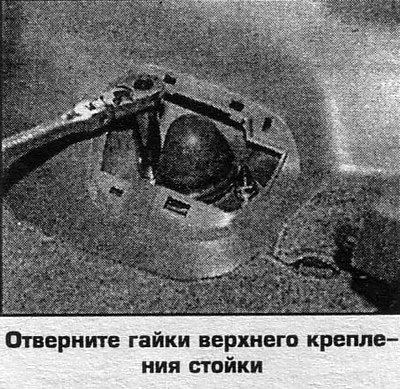
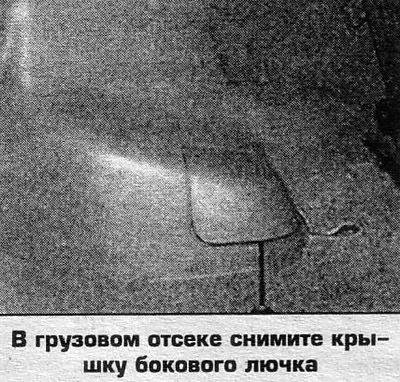
2. Remove the side hatch cover in the cargo compartment (photo).

3. Unscrew the rack mounting bolts through the hatch opening.

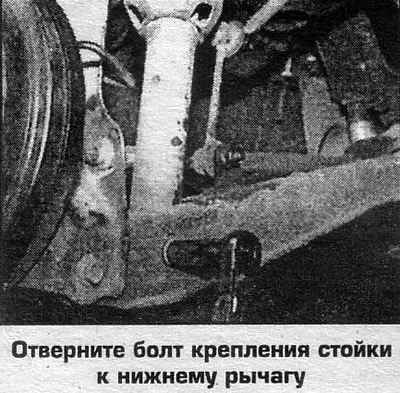
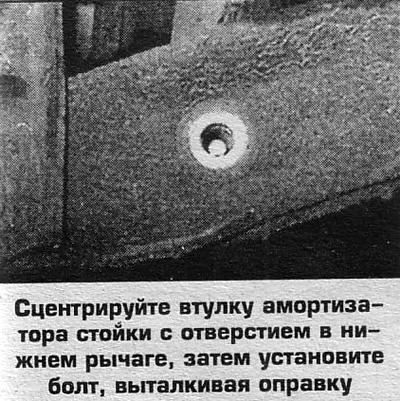
4. Unscrew the bolt securing the strut to the lower arm.

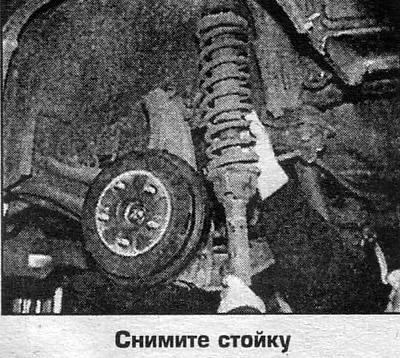
5. Remove the stand and clamp it in a vice. Compress the spring and unscrew the top nut, holding the rod with a 5 mm Allen key.

6. Remove the washer, rubber bushings and spring gasket.

7. Remove the spring.

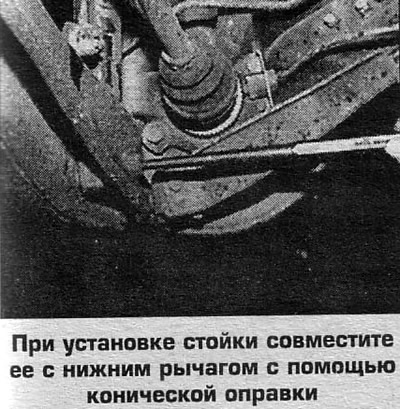
8. Installation is carried out in reverse order.

Disassembly


The rack is non-detachable, only the spring is changed. Replace the failed rack.
The rack is non-detachable, only the spring is…

The rack is non-detachable, only the spring is…

The rack is non-detachable, only the spring is…
This article is available at: russian, bulgarian, belarusian, ukrainian, serbian, croatian, romanian, polish, slovak, hungarian
This information has been verified: Emil Safonov
Share with friends:
◀ Previous
CR-V 1: Rear suspension
Next ▶

Shock absorbers — removal and installation
Springs — removal and installation
Rear suspension — design description
Rear suspension parts
Rear suspension arms — removal and installation
Anti-roll bar — removal and installation
Rear Hub and Bearings (CR-V)
Rear Hub and Bearings (Odyssey)
Tightening torques for threaded connections
See also other articles from Honda manuals:
Rack and worm (direct acting steering) Honda Accord 3 (1985-1989)
Steering rack adjustment Honda Civic 5 and 6 (1991-2000)
Adjusting the steering rack guide Honda HR-V 1 (1998-2006, petrol)
Link in different formats to this article
Comments and feedback from visitors
No comments yet


How much will 32 + 10 ?


CR-V 2 (2002-2006, petrol) 
  • General information
  • User manual
  • Technical data
  • Maintenance
  • Power unit
  • Engine repair
  • Lubrication system
  • Cooling system
  • Exhaust system
  • Fuel system
  • Engine management
  • Engine electrical equipment
  • Transmission
  • Clutch
  • Manual gearbox
  • Automatic gearbox
  • Rear differential
  • Drive shafts
  • Chassis and running gear
  • Steering
  • Front suspension
  • Rear suspension
  • Brake system
  • Body and interior
  • Exterior (external elements)
  • Interior (internal elements)
  • Doors, locks and windows
CR-V 1 (1995-2001, petrol) 
  • General information
  • Maintenance
  • Tips for car owner
  • Power unit
  • Engine repair
  • Engine overhaul
  • Cooling and lubrication system
  • Engine electrical equipment
  • Control system
  • Fuel system
  • Transmission
  • Clutch and drive shafts
  • Car gearbox
  • Chassis and running gear
  • Front suspension
  • Rear suspension
  • Steering
  • Brake system
  • Body and interior
  • Body service
  • Exterior (external elements)
  • Interior (internal elements)
  • Electrical equipment
  • Equipment and devices
  • Electrical circuits
HondaBook.ru © 2018–2026 • Mobile version • Sitemap: EN BG BY UA RS HR RO PL SK HU • Feedback • Driver Information • Search system • Bookmark
Accord 3 (1985-1989) • Accord 6 (1997-2002) • Civic 3 and 4 (1983-1991) • Civic 5 and 6 (1991-2000) • Civic 6 (1995-2000) • Civic 7 (2000-2005) • Civic 8 (2005-2011) • Fit 1 (2001-2008) • CR-V 1 (1995-2001) • CR-V 2 (2002-2006) • HR-V 1 (1998-2006) • Avancier 1 (1999-2003) •
 
This website uses cookies to ensure proper functioning. By clicking "OK," you agree.