
Warning! The models of vehicles covered in this manual are equipped with a supplemental restraint system (SRS). Before performing any work near the air bag unit, steering column or instrument panel, turn off the SRS to avoid injury from accidental deployment (see Chapter On-board electrical equipment). The SRS circuit wiring is easily identified by the yellow color of the insulation.
Disconnect the negative cable from the battery.
Warning! If the car stereo system is equipped with a security code, make sure you have the correct combination to activate the audio system before disconnecting the battery!
Instrument panel trim
1. If the vehicle is equipped accordingly, lower the steering column to the lower position.
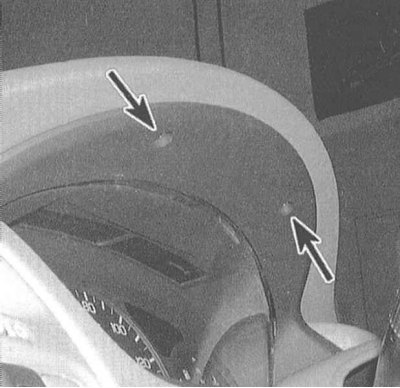
2. Remove the two mounting screws at the top of the trim.
3. Carefully pry with a screwdriver, release the clips and separate the lower part of the dashboard trim from the instrument panel. To avoid scratching the surface of the panel, seal the tip of the screwdriver with tape.
4. Installation is carried out in the reverse order. Make sure that the fasteners snap into place securely.
Knee support
1. Remove the front cover of the center console (see Section Removal and installation the center console).
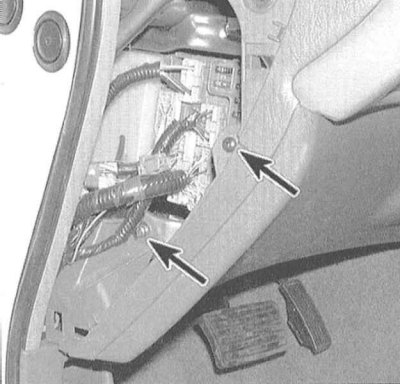
2. Pry off the plastic cover of the fuse box on the left under the instrument panel. Unscrew the two mounting screws located under the cover.
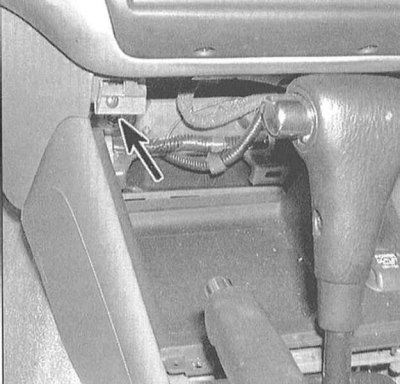
3. Remove the right upper knee pad mounting screw, then pry the assembly up by releasing the mounting clips.
4. If access to under-dash components is required, remove the knee support assembly stiffener bolts. Pull the lower edge of the stiffener and remove the assembly from the vehicle interior.
5. Installation is carried out in reverse order.
Central section
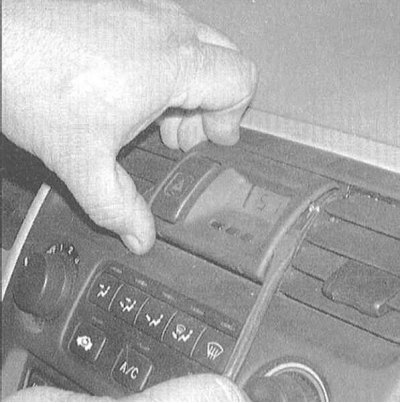
1. Using a screwdriver wrapped in tape, remove the panel clock assembly trim.
2. After releasing the trim, disconnect the clock and hazard warning switch wiring connectors.
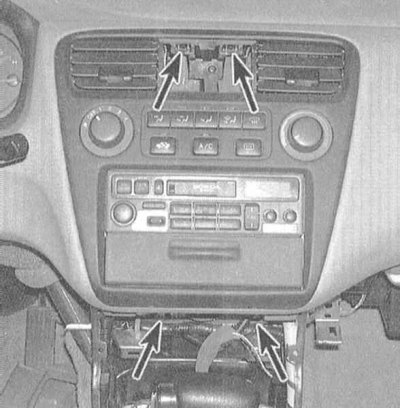
3. Remove the screws securing the central section of the instrument panel. One of the screws is located in the upper recess for the clock trim, two are located at the bottom. The remaining part of the panel is secured with plastic clips.
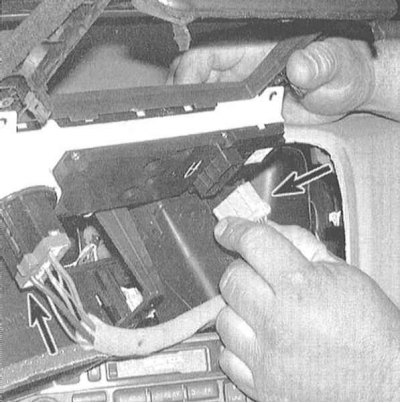
4. The heater/air conditioner control panel is secured to the instrument panel with screws located at the rear. Release the panel from its mounting socket, disconnect the wiring, and remove the assembly.
5. Installation is carried out in reverse order.
Right lower section of the instrument panel, storage compartment
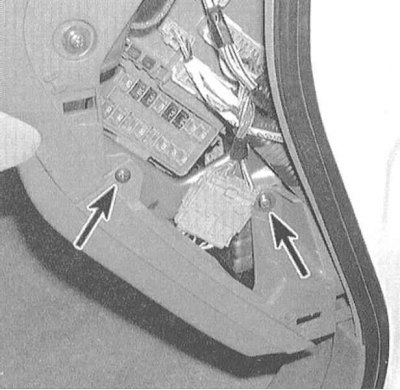
1. Removing the lower side cover on the passenger side of the instrument panel is similar to removing the knee support assembly. Pry off the end cover of the instrument panel (open the passenger door to gain access) and remove the two mounting screws. The third screw is located in the upper left corner of the panel.
2. Pry up the lower edge of the panel and release the fastening clips one by one. Remove the panel.
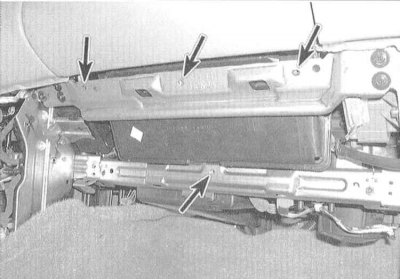
3. Remove the screws securing the lower edge of the glove box assembly.
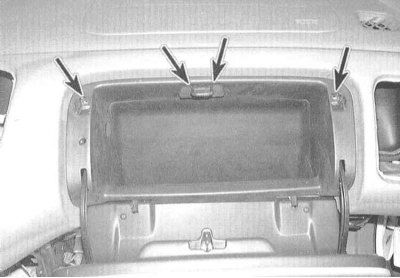
4. Open the drawer door, use a screwdriver to remove the plastic plugs and unscrew the screws securing the top edge of the assembly.
5. Press the glove compartment door hinges toward each other to release the retaining clips, then pull the assembly down and out to release it from the panel.
Note: After releasing the glove box assembly from the panel, disconnect the glove box lighting wiring connector.
6. Installation is carried out in reverse order.