
Contents: Component Locations ⇊ Electrical diagram ⇊ Checking the automatic transmission…⇊ Replacing the automatic transmission…⇊ Checking the key lock solenoid in…⇊
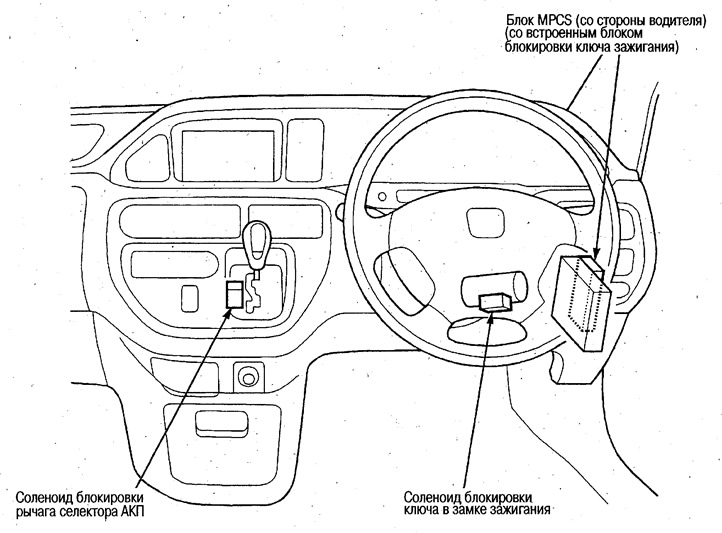
Component Locations
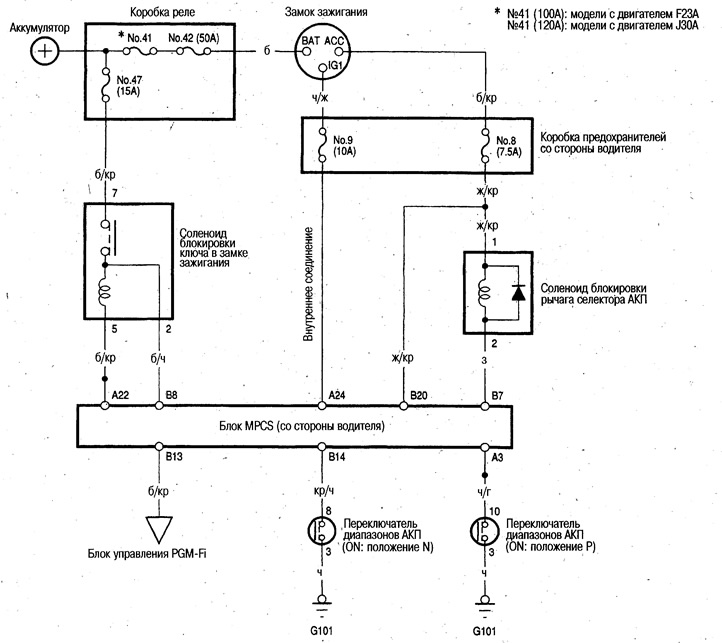
Electrical diagram
Checking the automatic transmission selector lever lock solenoid
Lock operation
1. Remove the lower center cover (see chapter Body).
2. Disconnect the 2-pin connector from the automatic transmission selector lever lock solenoid.
3. Apply battery voltage to terminals #1 (+) and #2 (-) and make sure the locking lever engages.
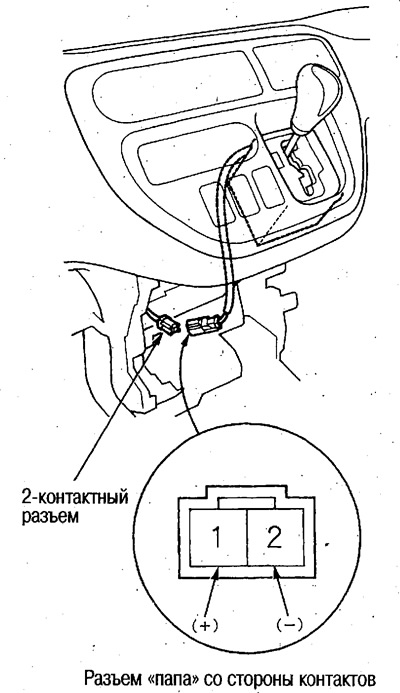
Since the solenoid contains a diode, be careful not to reverse the polarity.
Manual unlocking
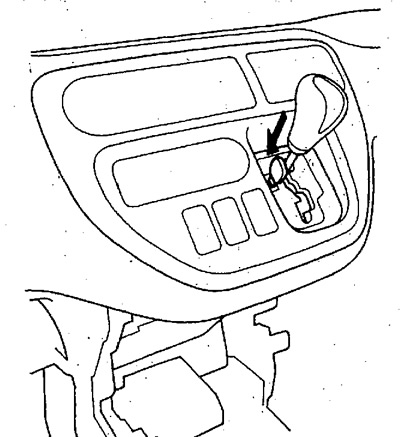
If you press the key on the lock release lever, the automatic transmission selector lever will be unlocked. If you release the key, the lever will smoothly lock.
Replacing the automatic transmission selector lever lock solenoid
1. Remove the lower center cover (see chapter Body).
2. Remove the center panel (see chapter Body).
3. Remove the automatic transmission selector lever assembly (see chapter Automatic transmission).
4. Remove the automatic transmission selector lever console panel.
5. Disconnect the 2-pin connector from the automatic transmission selector lever lock solenoid.
6. Disconnect the clamp and remove the automatic transmission selector lever lock solenoid.
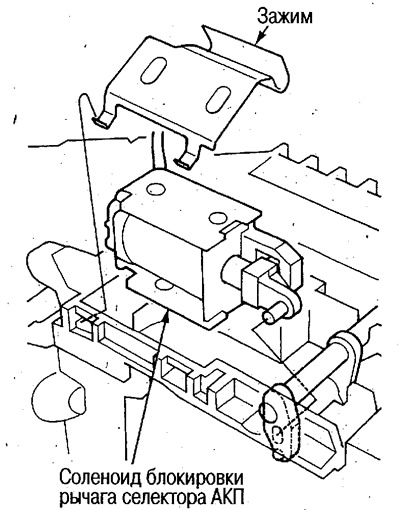
Checking the key lock solenoid in the ignition switch
1. Remove the steering column cover (see chapter Steering). Remove the lower instrument panel cover (see chapter Body).
2. Disconnect the 7-pin connector from the steering column lock assembly.
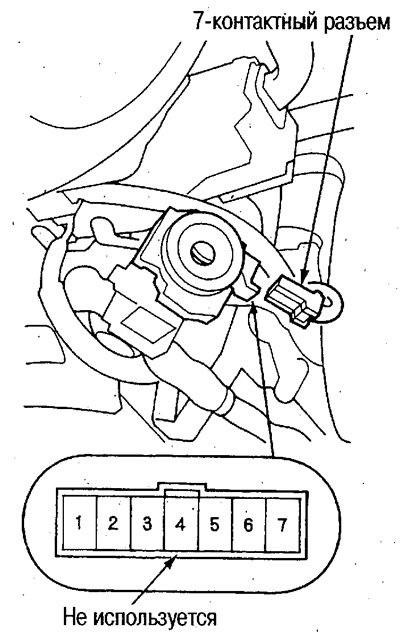
3. Check the continuity between the various contacts in each switch position and make sure that there is continuity only between the contacts connected by the lines in the table.
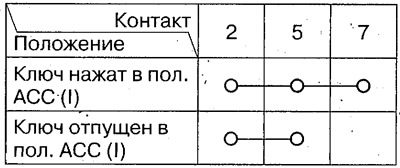
4. Apply voltage from the battery to terminals No.5 and No.7, press the ignition key to the ACC (I) position (ACC switch to the ON position) and make sure that the key lock lever is engaged.
Otherwise, replace the steering column lock assembly.