a) Remove the instrument cluster and disconnect the connectors.
b) Check the system as shown in the table "Checking the remote control central locking system" (see the figure in the item "Checking the lighting control system", section "Lighting control system").
If the system does not work correctly, replace the instrument cluster.
2. Checking the system unit: remote control of the central lock.
Note: If the system does not work properly, please check the remote control first.
a) Remove the driver's door trim.
b) Unscrew the fuse box mounting nuts.
c) Remove the fuse box to provide yourself with some working space.
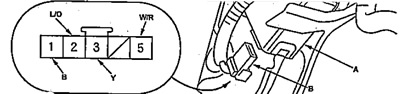
d) Disconnect the "5P" connector (B) from the receiver (A).
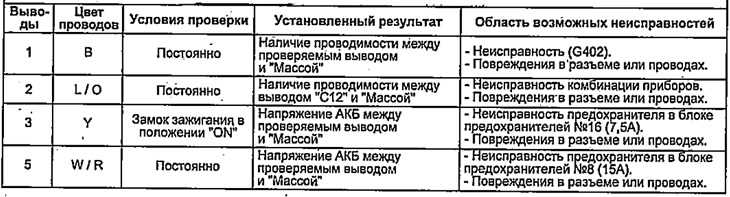
d) Check the operation of the system as shown in the table "Checking the central locking remote control unit".
If the result does not match the description, replace the receiver.
3. Checking the central locking switch.
a) Remove the driver's door trim.
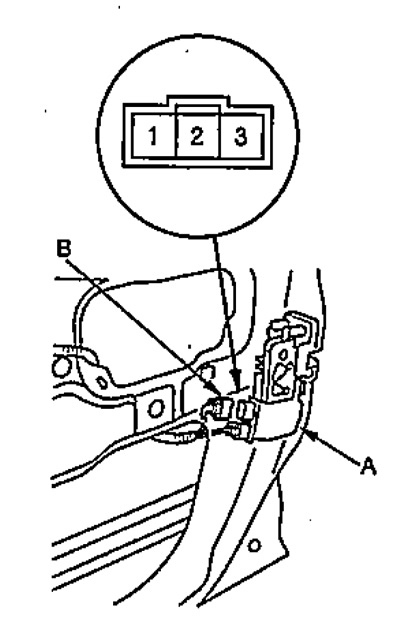
b) Disconnect the "3P" connector (B) from the lock drive (A).
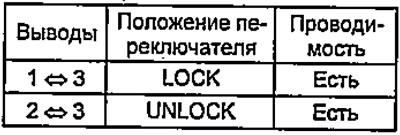
c) Check the continuity between the terminals in each switch position as shown in the table.
 |
 |
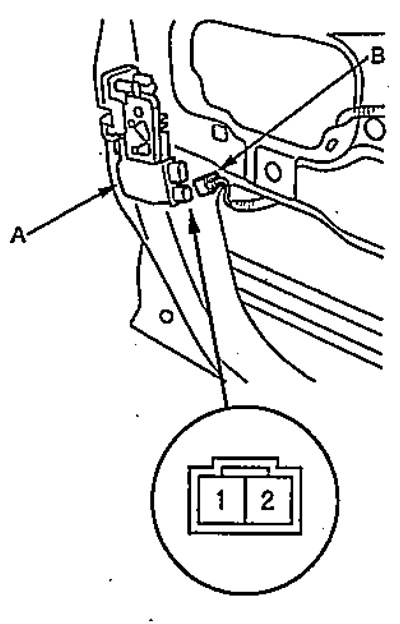
4. Checking the door lock drive.
a) Remove the driver's door trim.
b) Disconnect the "2P" connector (B) from the lock drive (A).
c) Apply battery voltage to the connector terminals and check the operation of the drive.
 |
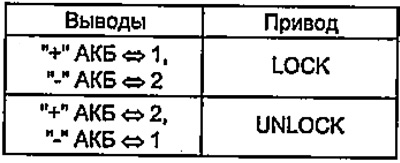 |
Note: To prevent damage to the drive, battery voltage should only be applied once.
Table. Checking the remote control system of the central lock.
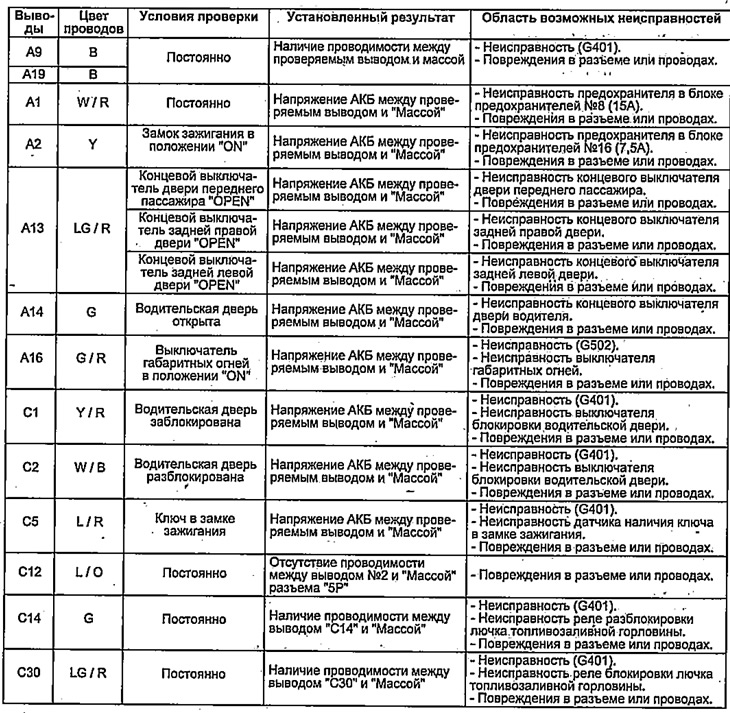
Table. Checking the central locking remote control unit.