
Contents: Models without navigation system ⇊ Displays on the display ⇊ Adjusting display brightness ⇊ Watch ⇊ Setting the clock readings ⇊ Setting the minutes ⇊ Setting the time using a time signal ⇊ Current fuel consumption ⇊ Average fuel consumption/outside air…⇊
Models without navigation system
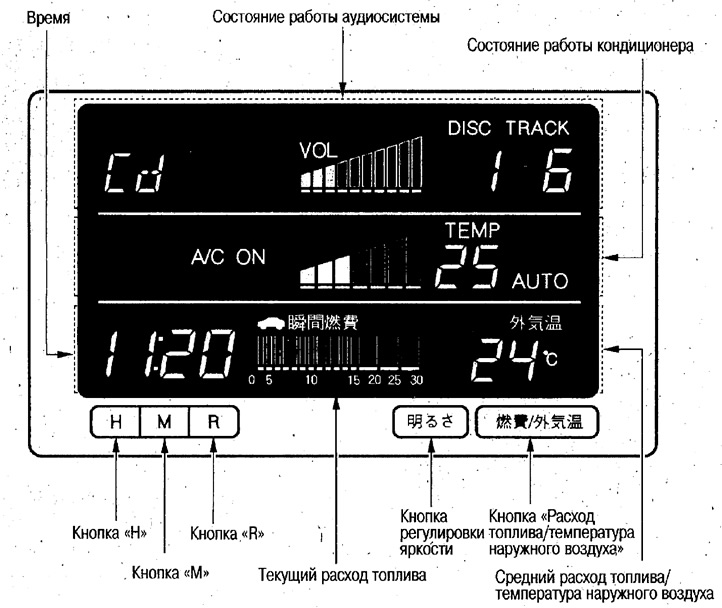
Displays on the display
The display shows the following information.
1. Display the operating status of the audio system.
The audio system operating status is displayed when the ignition key is in position "I" or "II".
Note: When the ignition switch is in the "I" position, the audio system operation status display will go out after approximately 5 minutes, but the audio system will not be interrupted. This is because this display consumes a lot of power. If you operate the audio system after the display has gone out, the display will turn on again for 5 minutes.
2. Display the operating status of the air conditioner.
The air conditioner operating status is displayed when the ignition key is in position "II".
3. Time display.
The time is displayed when the ignition key is in position "II".
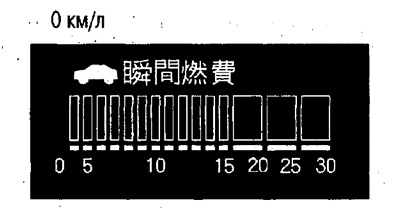
4. Display of current fuel consumption.
The current fuel consumption is displayed.
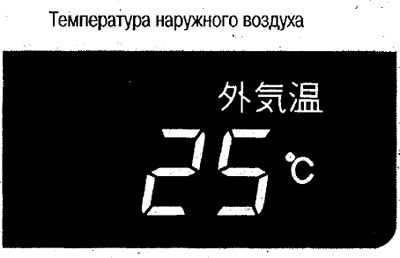
5. Display of average fuel consumption/outside air temperature.
Average fuel consumption and outside air temperature are displayed.
If the temperature drops suddenly when the humidity is high, part of the display may fog up, but the fog will disappear after the display has been on for some time.
Adjusting display brightness
The display brightness can be adjusted according to the environment (daytime or nighttime).
To change the brightness, press the "Brightness" button when the ignition key is in position "I" or "II". There are 4 brightness levels.
Note:
- After turning on the lighting devices, the display brightness is reduced automatically. In this case, you can also adjust the display brightness.
- If you hold the button for about 2 seconds when the display brightness is automatically reduced, the previous brightness will return, and if you press the button again, the brightness will decrease again.
Watch
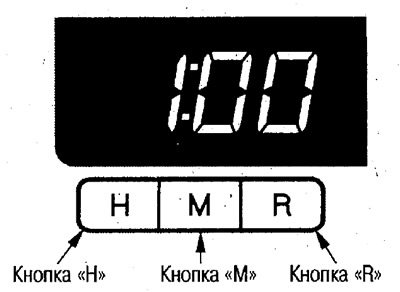
The clock display is displayed when the ignition key is in position "II".
Setting the clock readings
To set the hours, press the "H" button. If you hold down this button, the hours will change rapidly upward.
Setting the minutes
To set the minutes, press the "M" button. If you hold down this button, the minutes display will quickly change upwards.
Setting the time using a time signal
When the exact time signal sounds, press the "R" button.
Example:
- If the clock display is between 1:01 pm and 1:29 pm, then after pressing the reset button the clock will display 1:00 pm.
- If the clock display is between 1:30 am and 2:00 am, then after pressing the reset button the clock will display 2:00 am.
Note:
- Seconds are not displayed, however, after pressing the "R" button, the time countdown starts from 0 sec.
- After removing and installing the battery or replacing the fuse, the clock will start counting from 1:00 am.
Current fuel consumption
When the ignition key is in position "II", the fuel consumption per 5 seconds (km/l) is displayed and the information is updated every second.
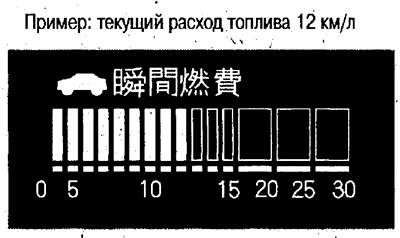
Note: For 5 seconds immediately after turning the ignition key to position "II", 0 km/l will be displayed.
Average fuel consumption/outside air temperature
This information is displayed when the ignition key is in position "II".
Switch display
Each time you press the "Fuel consumption/temperature" button, the display changes in the following sequence: outside air temperature → average fuel consumption → outside air temperature, etc.
 |
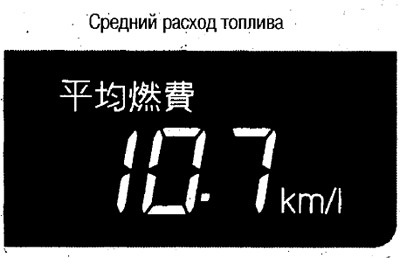 |
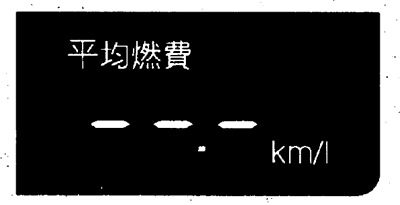
Average fuel consumption
When the ignition key is in position "II", the average fuel consumption (km/l) display is updated every minute.
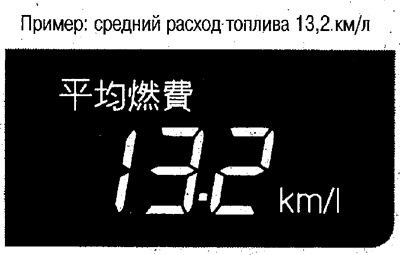
After turning the ignition key to position "0", the readings are reset.
Sometimes average fuel consumption may differ from actual fuel consumption.
--.- km/l is displayed for approx. 1 sec. after the ignition key is turned to position "II".
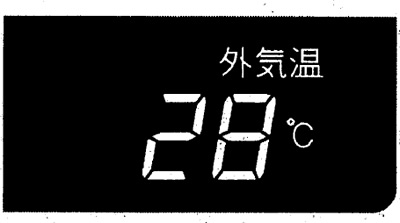
Outside air temperature
While driving (speed above 30 km/h), the outside air temperature is displayed.
Note:
- After turning the ignition key to position "II", the current outside temperature is displayed and remains displayed until the vehicle speed reaches approximately 30 km/h.
- Since the air temperature near the front bumper is measured, an inaccurate temperature may be displayed when stopped or at speeds below 30 km/h due to the influence of high engine compartment or road surface temperatures.
(The article is based on information from the website «www.hondabook.ru»)