Contents: Increasing the distance ⇊ Reducing the distance ⇊ Distance between cars ⇊ Leading vehicle recognition status ⇊
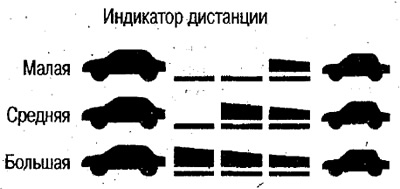
You can set 3 distance levels depending on the speed of movement.
(Distance depending on the speed of movement: with increasing speed the distance decreases, with decreasing speed the distance increases).
The set distance is displayed on the display.
Increasing the distance
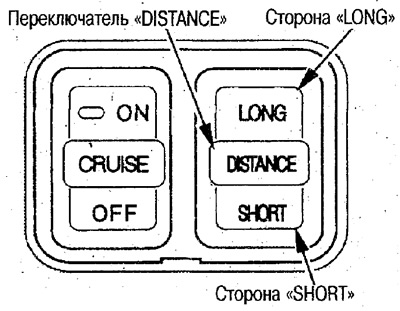
To increase the distance, press the "LONG" side of the "DISTANCE" switch.
The distance changes in the sequence "Small" - "Medium" - "Large".
Reducing the distance
To reduce the distance, press the "DISTANCE" switch on the "SHORT" side.
The distance changes in the sequence "Large" – "Medium" – "Small".
 |
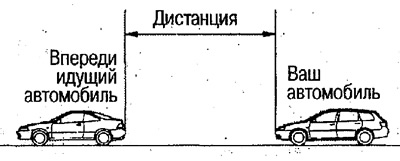 |
Distance between cars
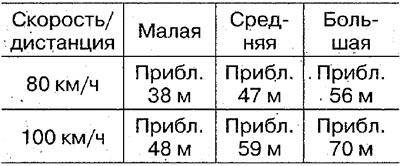
As the speed decreases further, the distance decreases.
Leading vehicle recognition status
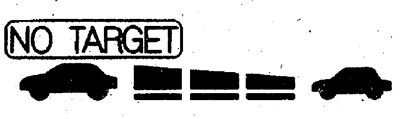
When the vehicle is confidently recognized, the display shows this status.
 vehicle recognized (distance to vehicle in front is measured)
 : vehicle not recognized (distance to vehicle in front not measured)