
Contents: Listening to CDs ⇊ Fast forward/rewind, rewind to the…⇊ Listening to the same recording ⇊ Playing recordings from one disc in…⇊ Error codes ⇊
Listening to CDs
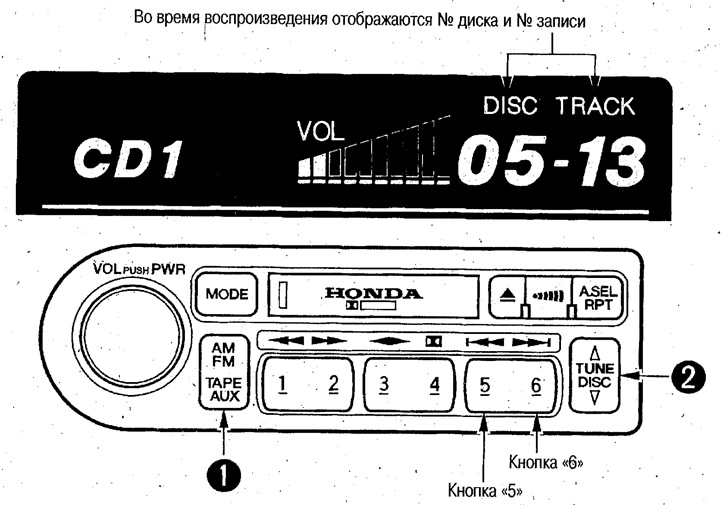
1. TAPE/AUX switch button.
Each time you press this button, playback switches from the CD changer to the cassette recorder and vice versa.
2. Disc selection (DISC switch).
Switching is done by pressing the top or bottom side of the switch.
If you briefly press buttons 5/6 after selecting a disc, you can select a recording number.
Fast forward/rewind, rewind to the beginning of the next/current recording
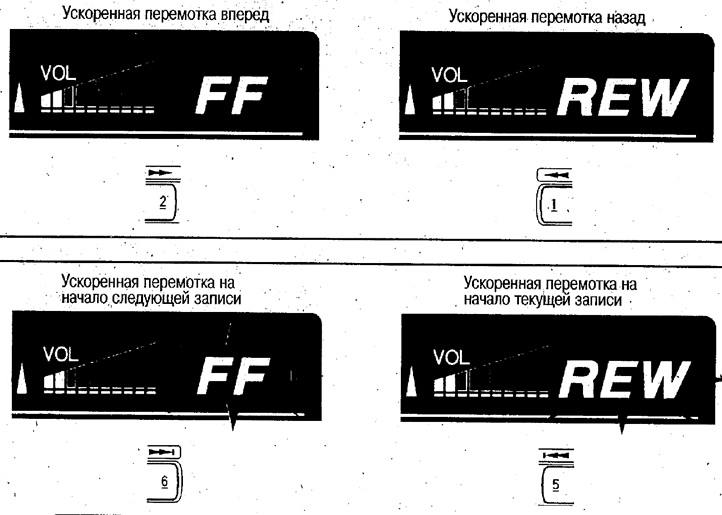
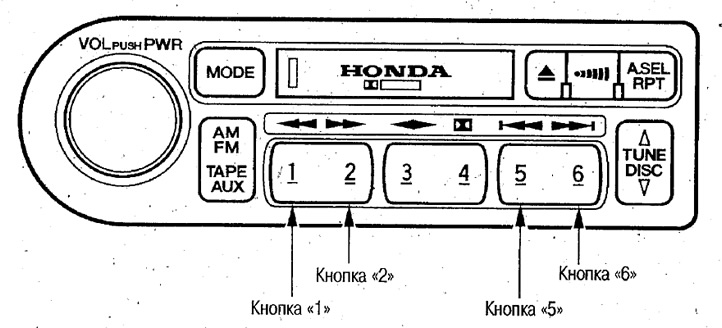
To fast forward/rewind, press the 2/1 button (the "FF/REW" indicator will light on the display).
To fast forward to the beginning of the next/current recording, press the 6/5 button.
Listening to the same recording
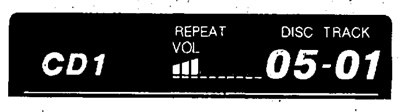
Press the RPT button (the "REPEAT" indicator will light up on the display).
To cancel this mode, press this button again.
Playing recordings from one disc in random order
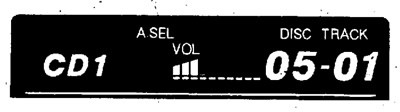
Press the auto select button and hold it for 2 seconds (the "A.SEL" indicator will light up)
To cancel this mode, press this button again.
Error codes
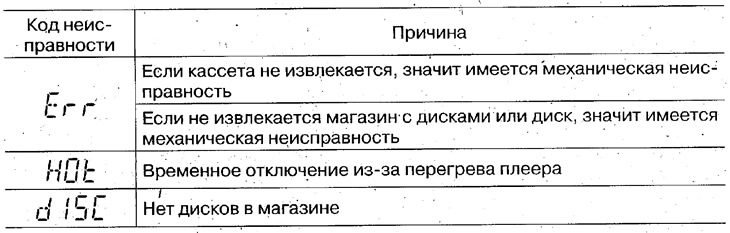
If fault codes are displayed on the display, refer to the operating manual for the device whose code is displayed and perform the check.
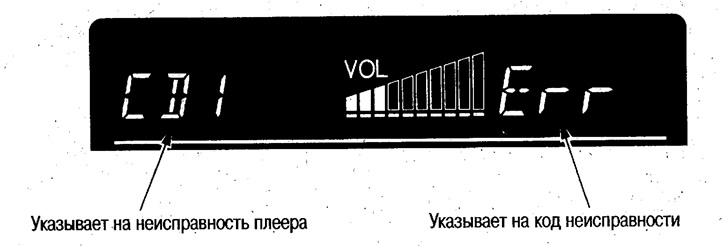
- TA: cassette recorder
- Cd: CD player
- Cd 1: CD changer 1
- Cd2: CD changer 2
- Md: MD player
- Md1: MD changer 1
- Md2: MD-changer 2
[Article source on the website «HondaBook.ru»]