Complex information display — input signal testing
0
1. Remove the display unit (see above).
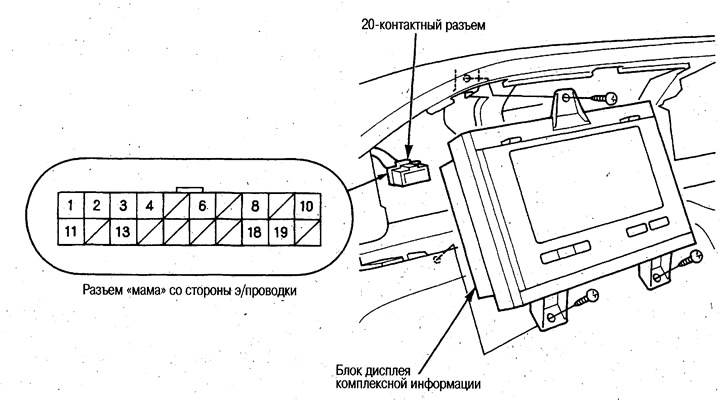
2. Disconnect the 20-pin connector from the display assembly.
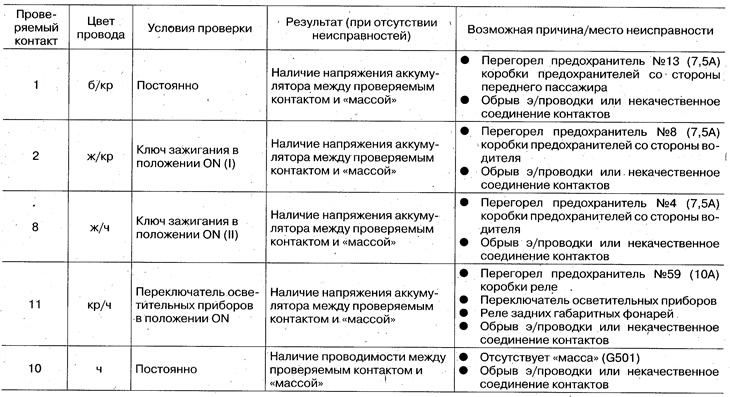
3. Check the input signals shown in the table. If all signals are normal and the complex information display does not work satisfactorily, replace the display unit.